Buying & Sourcing
How to Avoid Ordering Wrong Excavator Parts
A pre-order verification process for reducing wrong-part risk in excavator parts inquiries, quotations and mixed-item orders.
Quick answer
Avoid wrong excavator parts by verifying the machine serial range, old-part reference and physical configuration before payment. Send readable labels and several photos, ask the supplier to state the exact quoted reference and quality level, and check voltage, connector, port, rotation, dimensions and included components whenever they apply. Keep each RFQ line tied to its own photos and final confirmation.
Identify the configuration, not only the model name
A model name can cover several production configurations. Parts may change by serial-number range, engine version, regional specification, voltage or attachment. Two components may look similar in a catalog image but differ at the connector, port, shaft, bracket or internal calibration.
Begin every configuration-sensitive request with the full machine model and serial number. Add the engine number or assembly nameplate when the item belongs to a major system. If the machine has been modified or already carries a replacement assembly, tell the supplier.
- Machine model and serial range
- Engine or assembly identity
- 12V or 24V electrical system
- Left or right installation position
- Rotation direction where applicable
- Known machine modifications or previous replacement
Use photos to confirm physical differences
Photos should answer specific matching questions. A label photo supports reference checking; a connector photo shows plug shape and pin count; a hydraulic view shows port size and position; an undercarriage photo shows flange and mounting details. Send the original, uncompressed image when small characters must be read.
For dimensions, photograph the measuring tool in position and also type the measurement. Use several angles and keep the background clear. For a bulk RFQ, add the line number to each filename so that images cannot be attached to the wrong quotation line.
- Readable label or nameplate
- Connector face and pin arrangement
- Ports, hose positions and mounting holes
- Shaft, spline, gear or flange detail
- Dimensions with units
- Installed position before removal
Check the commercial scope on the quotation
A technically correct reference can still produce a commercial mismatch if the quotation does not explain the scope. Confirm whether the item is genuine, OEM-supply, aftermarket, rebuilt or used. Check whether sensors, seals, fittings, controllers, bolts or other accessories shown in a photo are included.
Ask the supplier to keep the buyer RFQ line number on the quotation. Each line should state description, reference, quantity, quality level, lead time and remarks. If an alternative number is offered, request a written explanation of the relationship to the original reference.
- Exact quoted reference and description
- Condition and quality level
- Included and excluded accessories
- Quantity and unit
- Stock status or production lead time
- Alternative or superseded number explained
Perform a final pre-payment and pre-shipment check
Before payment, compare the final quotation or proforma invoice against the latest RFQ, not against an earlier chat message. Resolve every open technical note and do not assume that a product photo overrides the written description.
Before shipment, request appropriate confirmation for important lines: product, label, quantity and packing photos connected to the order reference. This final check does not replace technical matching, but it can catch a wrong label, quantity or packing mix before export.
- Final document compared line by line
- Open technical questions closed in writing
- Critical reference and configuration reconfirmed
- Quantity and item labels checked
- Packing marks linked to the order or RFQ
- Claim evidence requirements retained with order records
Common wrong-part causes and controls
| Risk | Why it happens | Control before ordering |
|---|---|---|
| Model-only request | Different serial ranges use different components | Add serial plate and assembly data |
| Incomplete old number | A missing suffix can indicate another version | Copy and photograph the complete reference |
| Similar appearance | Connector, port or mounting details differ | Send detail photos and dimensions |
| Photo-to-line mix-up | Bulk inquiry images are not named | Use permanent RFQ line IDs in filenames |
| Unclear quotation scope | Quality level or included parts are not written | Confirm reference, condition and inclusions line by line |
| Unverified alternative | Cross-reference is assumed to fit every configuration | Request written fitment basis and compare key details |
Buyer checklist before requesting a quote
- Full machine and serial information verified
- Old number and its source recorded
- Labels and configuration photos are readable
- Voltage, side, rotation, dimensions and connections checked
- RFQ line numbers match quotation and photos
- Quality level and included parts written clearly
- Critical items reconfirmed before shipment
Frequently asked questions
Why can the correct model still lead to the wrong part?
Manufacturers may change components within one model family. Serial range, engine version and installed assembly data help identify the correct configuration.
Should I rely on a catalog picture?
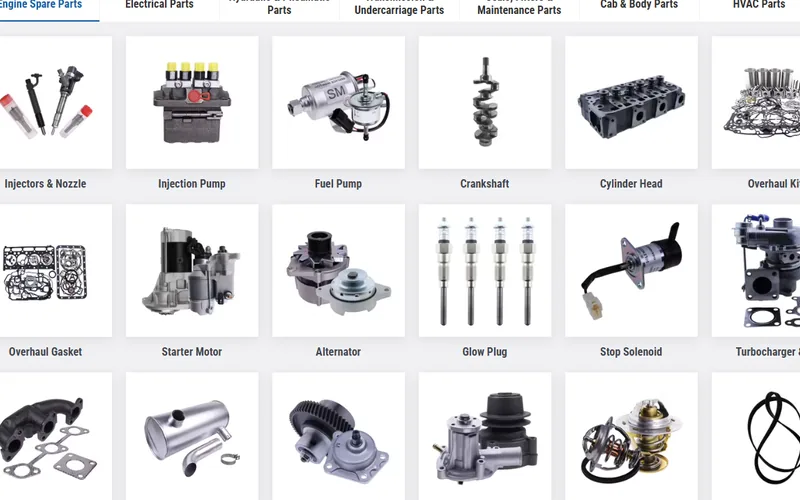
No. Catalog images can be representative. Use written references, machine data and physical configuration evidence for final confirmation.
What should I do when the old label is damaged?
Send the original label photo, type every readable character, add machine and assembly data, and provide dimensions and connection photos. Mark the number as incomplete.
How can a bulk buyer prevent photos from being mixed?
Assign a permanent RFQ line ID to every item and begin each related filename with that ID. Keep the same line IDs through revisions.